> ## Documentation Index
> Fetch the complete documentation index at: https://jinshuju-20a27453.mintlify.site/llms.txt
> Use this file to discover all available pages before exploring further.
# 通过调整标题透明度隐藏表单标题
> 当需要页面更加简洁或嵌入式展示时,可设置表单标题显示透明,以此达到隐藏标题的效果。
## 设置方式
1. [PC 端](https://im.jinshuju.net/home)进入表单编辑页面,点击标题。
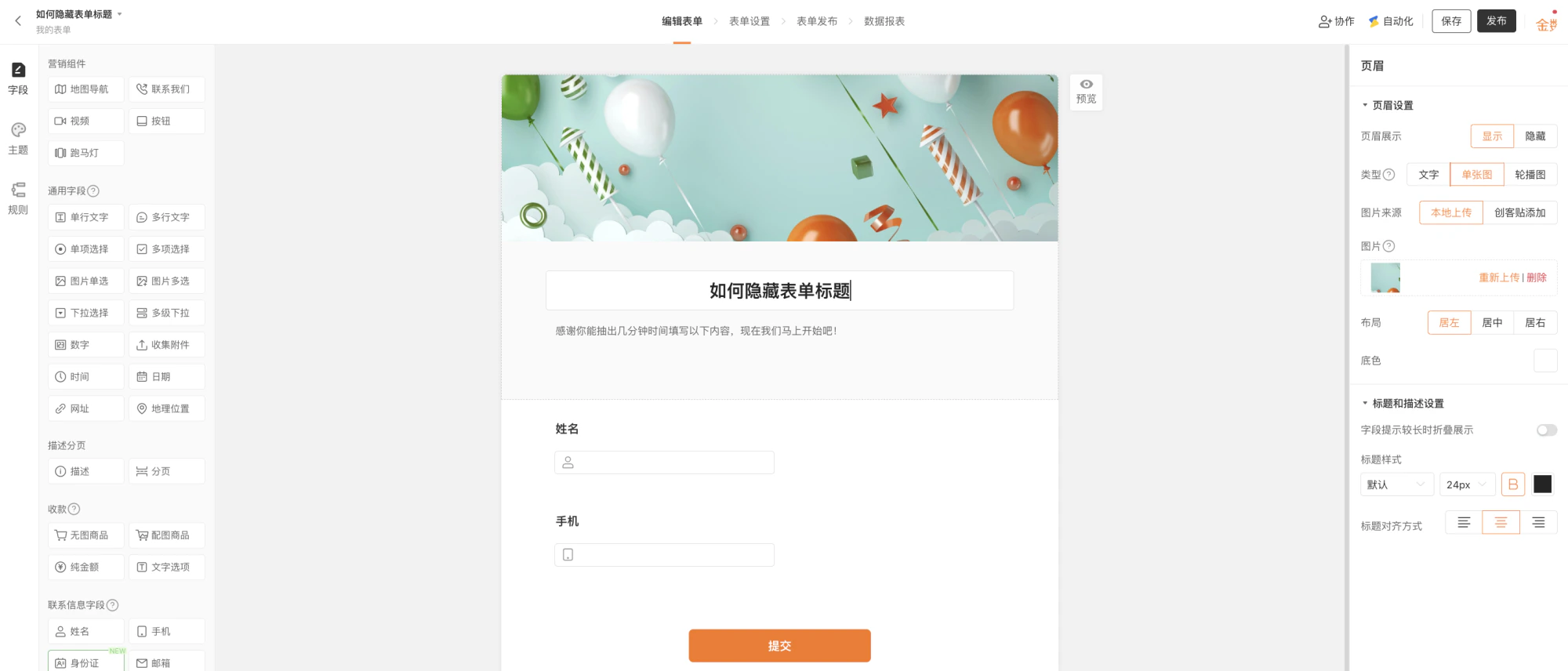 表单编辑页面点击标题进行「标题和描述设置」
2. 编辑页面右侧「标题和描述设置」,将文字颜色设置为全透明状态(将框选位置的小圆圈拉到最左侧)。
表单编辑页面点击标题进行「标题和描述设置」
2. 编辑页面右侧「标题和描述设置」,将文字颜色设置为全透明状态(将框选位置的小圆圈拉到最左侧)。
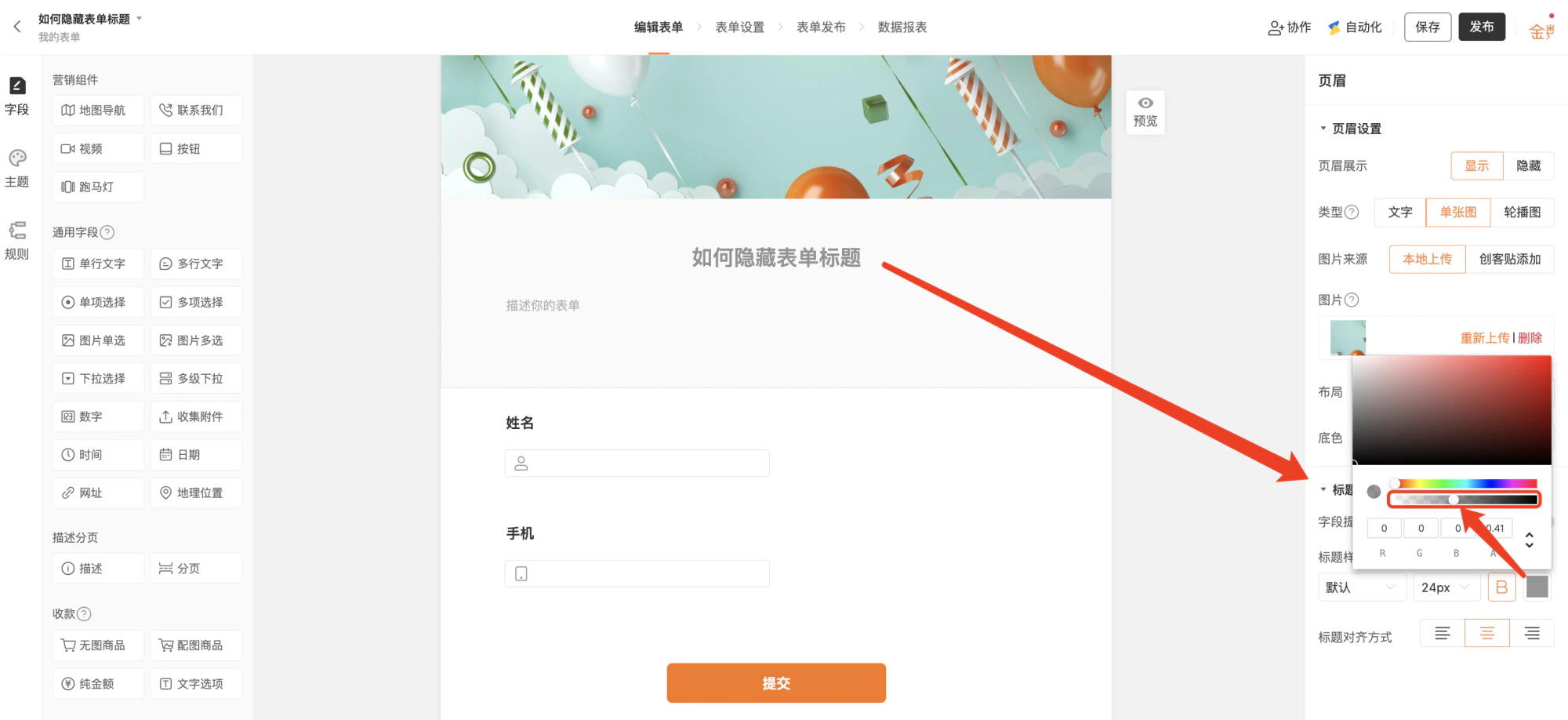 在「标题描述设置」中设置字体透明度为最低
## 效果展示
在「标题描述设置」中设置字体透明度为最低
## 效果展示
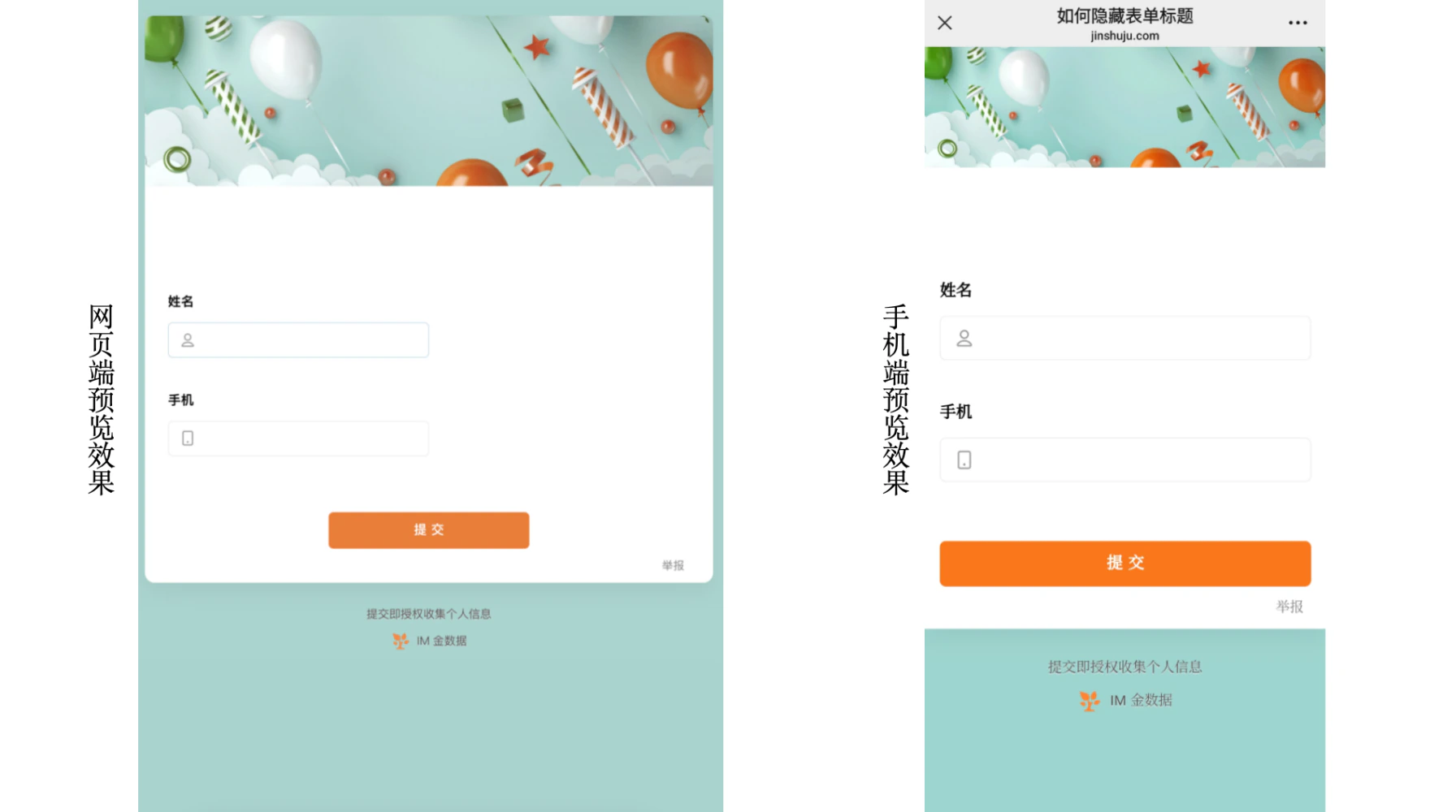 透明度降低后表单在 PC端 和 移动端网站的展示样式
This documentation is built and hosted on [Mintlify](https://mintlify.com), a developer documentation platform.
透明度降低后表单在 PC端 和 移动端网站的展示样式
This documentation is built and hosted on [Mintlify](https://mintlify.com), a developer documentation platform.