> ## Documentation Index
> Fetch the complete documentation index at: https://jinshuju-20a27453.mintlify.site/llms.txt
> Use this file to discover all available pages before exploring further.
# 复制表单
# 复制表单
复制表单的 2 种方式:
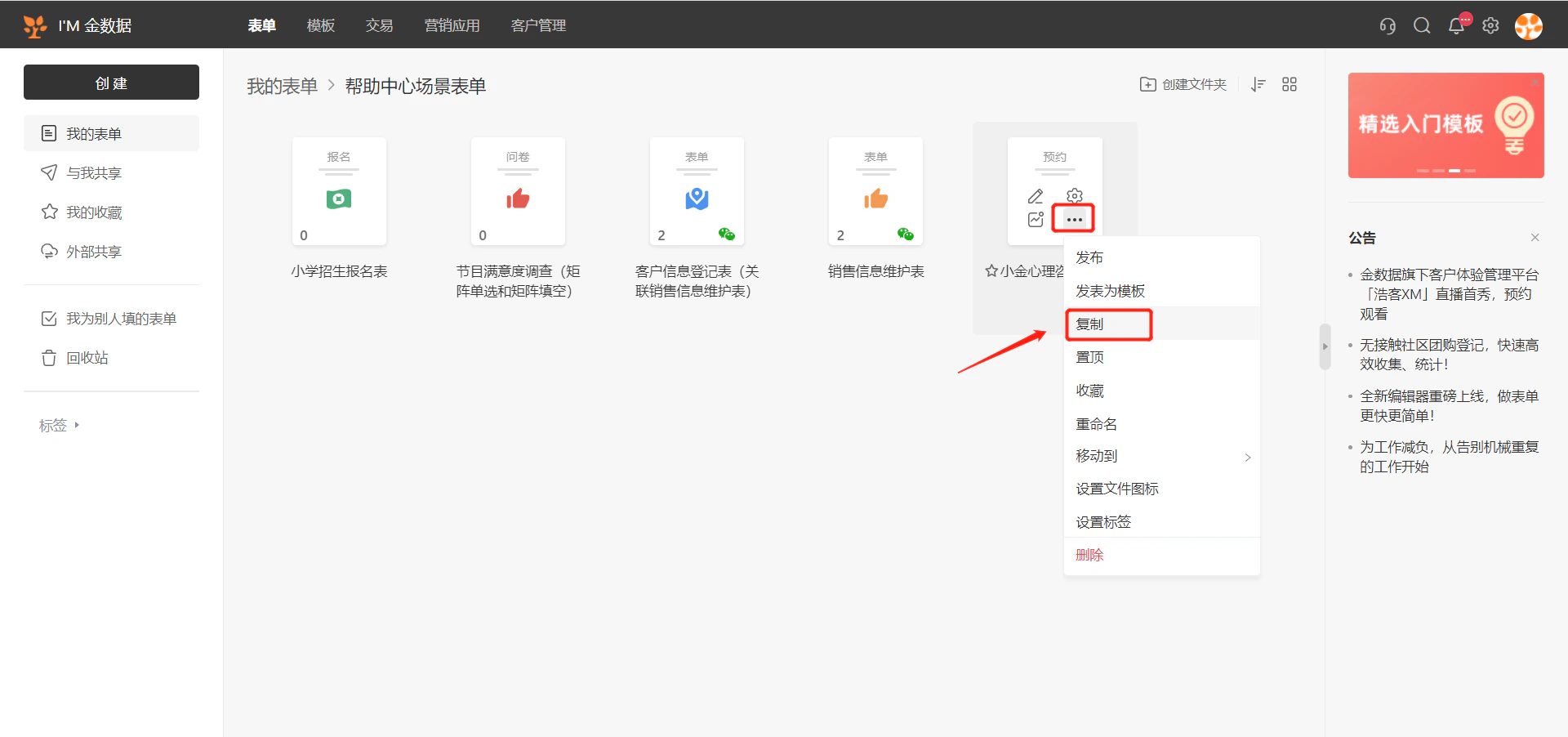
1.在「我的表单」展示页,鼠标移至你想要复制的表单的右下角「 ... 」,表单右下角出现一个「 ... 」,点击「 ... 」图标后会出现「复制」按钮。
 2.你也可以进入表单的概述页面进行复制。
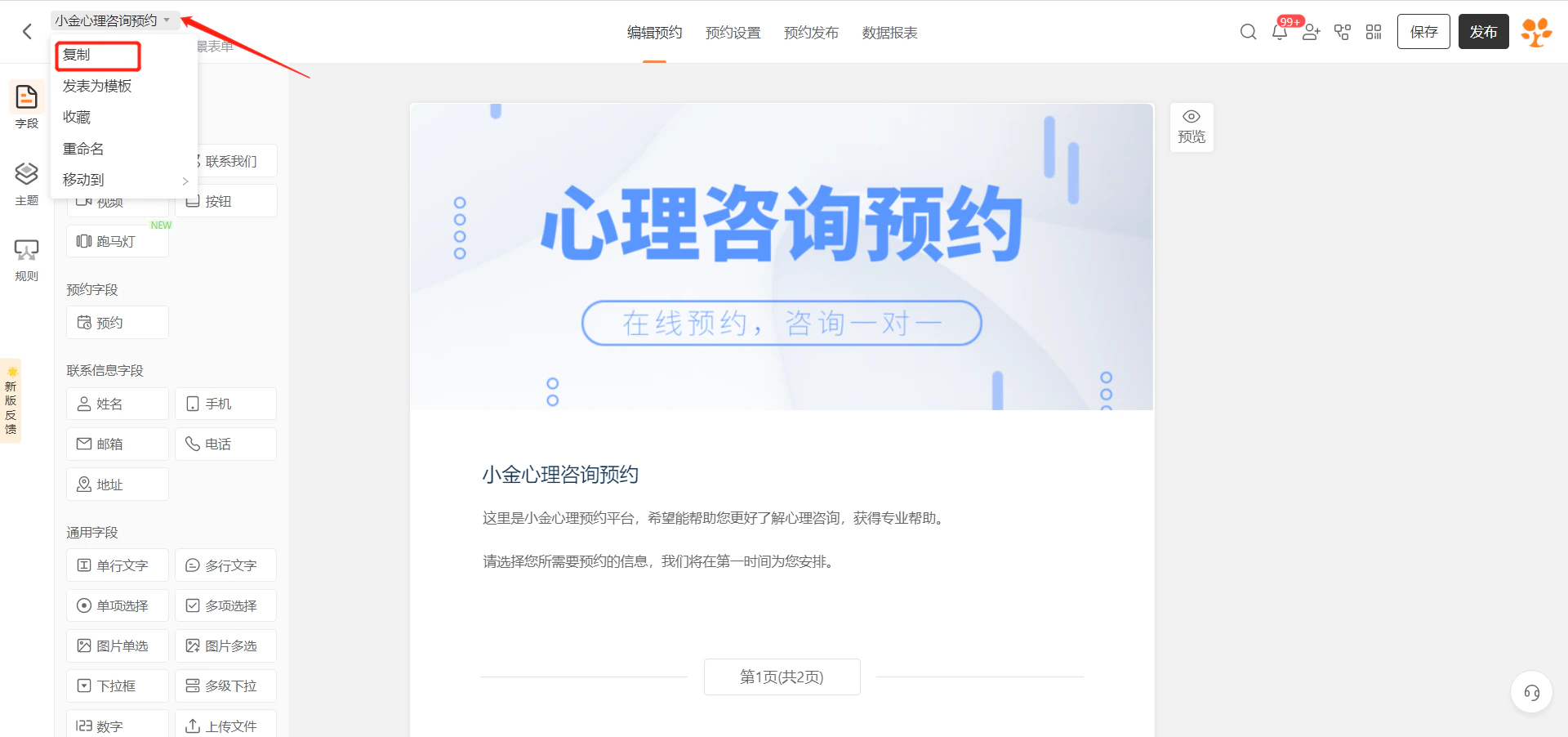 * 点击表单标题后面的小箭头,选择「复制」按钮。
This documentation is built and hosted on [Mintlify](https://mintlify.com), a developer documentation platform.
* 点击表单标题后面的小箭头,选择「复制」按钮。
This documentation is built and hosted on [Mintlify](https://mintlify.com), a developer documentation platform.